Home/Solutions/EMS / Energy Optimisation
EMS / Energy OptimisationThe control layer that coordinates operating decisions.
An energy management system is more than a timer. It reads the site continuously, respects equipment and safety limits, and decides what solar, storage and the grid do next.
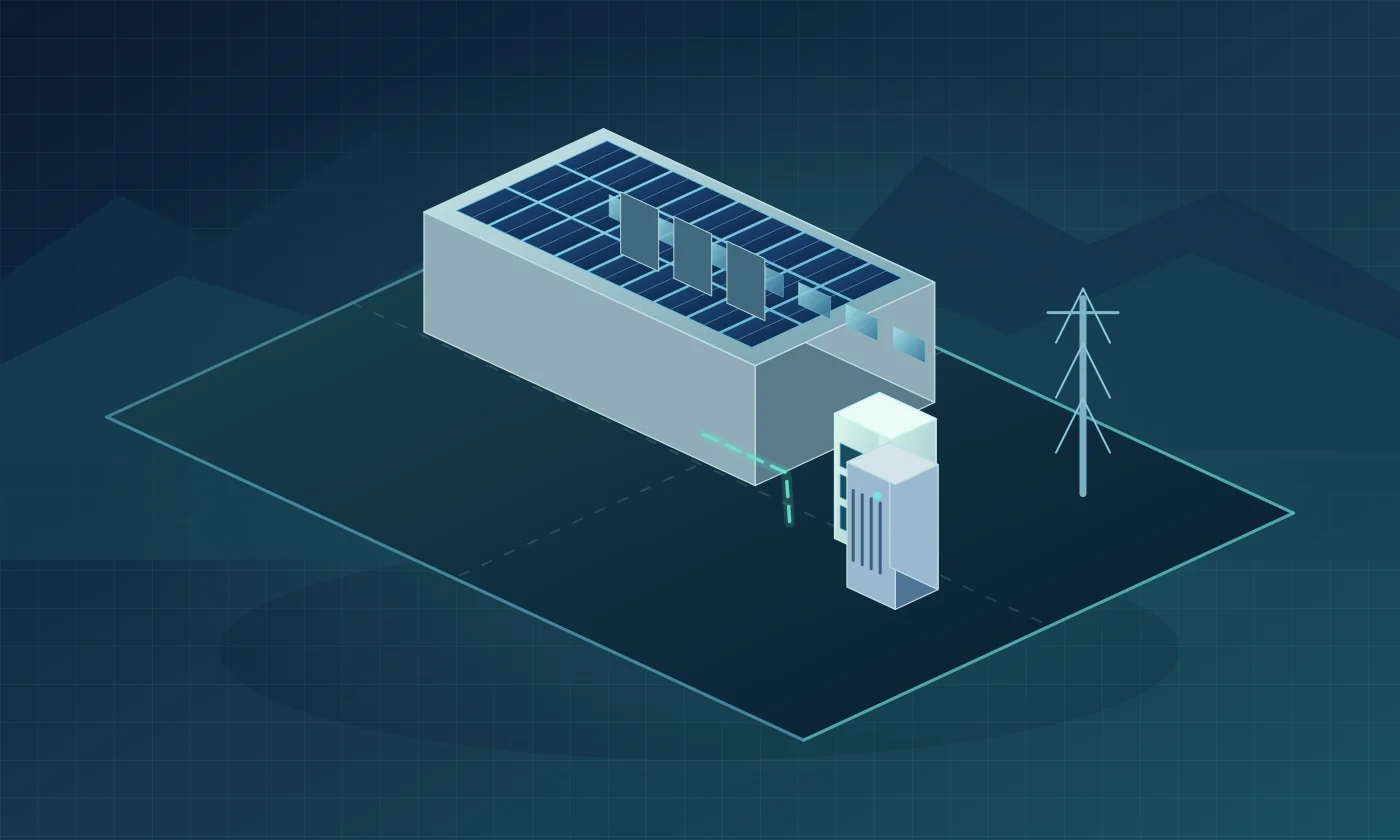
One controller reads, decides and commands, every few seconds.
Watch a commercial campus through the day: solar, battery, chillers and EV charging coordinated around tariff windows. Switch scenarios to see each decision change.
One engineering state. The plant view, the single-line diagram and the graphs below follow the same configuration rules as the Energy Explorer. Motion and wording show behaviour only; no ratings, sizes or savings are implied.
01How it operates
- Reads: import at the incomer, solar output, battery state of charge, tariff window, demand target.
- Decides: charge, hold or discharge; how much to import; which loads can wait.
- Commands: PCS setpoints, inverter curtailment, DG start/stop, load scheduling.
- Operating modes trade battery life, cost and reserve against each other.
02When it makes sense
- Several sources and flexible loads that need one decision-maker.
- TOD tariffs and demand charges.
- Pre-cooling, EV charging, pumping or batch processes that can move in time.
- Sites that want measured, explainable operation.
03Engineering constraints
- The EMS is only as good as its metering: CT placement and communication matter.
- Tariff rules change; schedules must be maintainable.
- Every controlled device needs a supported protocol (Modbus, CAN, IEC 61850 or similar).
- Fail-safe behaviour on communication loss is designed and tested.
The EMS, decision by decision.
Switch operating philosophy on any graph. The equipment timeline shows the decision behind every change; the TOD view shows where grid energy is drawn.
Each row is one piece of equipment; colour shows what it is doing. The EMS row shows the decision behind each change.
Balanced: Stores midday solar, covers peak windows and trims demand above the site limit. Our usual starting point. The battery stays inside its operating window; charge and discharge never exceed the converter limit.
Grid energy drawn in each tariff window and the highest demand of the day, before and after storage. Bars are relative to the no-storage case; actual tariffs and savings depend on the utility category and are calculated only from your bills.
Supply always equals demand: solar first, then the battery in the windows the EMS chooses, then the grid. Charging appears below the axis. Shape from the illustrative model; real balance comes from metered data and the engineering model.
Inside the decision layer.
Working mechanism, where it connects in the single-line diagram, its operating profile, and what limits and protects it. All equipment
Energy management system (EMS)
The decision layer: reads meters and devices, applies tariff and reserve rules, commands converters, inverters and the generator.
EMS requests; equipment protects itself. The EMS sets priorities and set-points. Every device keeps its own protection, and the BMS keeps final authority over the battery.
- Only as good as its measurements and the data it receives
- Cannot exceed device limits
- Needs defined behaviour if communication is lost
Sense. Bound. Decide. Execute. Verify.
Load, solar output, meter values, battery state of charge and alarms.
Thermal limits, SOC reserves, power ratings and BMS safety ceilings. The EMS never overrides the BMS.
Charge, discharge, import, reserve, limit, shift, shed or restore, according to tariff window and mode.
Set-points sent to PCS, inverters and controllable loads through supported interfaces.
Measured response compared with the expected behaviour, with anomalies flagged for review.
Reads load, solar, SOC, tariff schedule, revenue meter, temperature, alarms and mode. Commands charge rate, discharge limit, reserve, critical-load support and grid interaction state.
Seven inputs. Eight decisions.
01Solar generates
PV supplies daytime energy, designed around the site’s load profile, available space and generation evidence.
02BESS stores, PCS converts
Available surplus can charge storage through the PCS, within converter and battery limits. Discharge supports the selected load and operating objective.
03The grid becomes a managed resource
Import follows the site’s permissions and constraints. During an interruption, a suitable grid-forming PCS may supply an isolated bus after an islanding and protection review.
04The EMS decides
It reads solar, state of charge, tariff window, demand, grid status and equipment limits, then coordinates the assets. The BMS keeps cell-level safety authority.
05Samvora operates the system
We design the control strategy, commission it on site and monitor it through its lifecycle, subject to the project’s agreed scope.
From source readings to operating decisions.
These are the roles of a coordinated system. Your site’s plant and electrical connection are shown together in the Energy Solution Experience.
EMS reads
EMS coordinates
Conceptual roles, not a live control interface or an approved design.
One system, four ways to run it.
Pre-engineered behaviours that run automatically inside hardware-bound limits.
Minimises cycle depth and thermal stress. Longest service life, moderate savings.
TOD cost reduction while keeping a resilience reserve.
Targets demand and peak windows harder, with more battery cycling.
Holds maximum state of charge for outage events.
Curves show illustrative battery state of charge over one day; the dashed line is the protected reserve. Actual limits are set per site and equipment.
Compare the modes on one day.
Balanced: Stores midday solar, covers peak windows and trims demand above the site limit. Our usual starting point. The battery stays inside its operating window; charge and discharge never exceed the converter limit.
Each row is one piece of equipment; colour shows what it is doing. The EMS row shows the decision behind each change.
Communication and control, honestly scoped.
Equipment is integrated through CAN, RS485, Modbus RTU/TCP, Ethernet and OEM interfaces where they are documented and supported by the selected models.
Interface support depends on the selected equipment, OEM model and available technical documentation. We never promise unrestricted control of third-party equipment.
- CAN
- RS485
- Modbus RTU
- Modbus TCP
- Ethernet
- OEM / API interfaces
See how this would work at your site.
Answer a few visual questions and see your site today and with Samvora: at midday, in the evening peak and in a power cut. No sign-up; nothing is sent until you choose.
Start with how your site actually uses energy.
Share a few details and your recent bills. A Samvora engineer reviews your load, tariff and reliability needs before anything is proposed.